CASE STUDY · CHURCH MANAGEMENT SYSTEM · 2024
Designing a ceremony management
platform for a Catholic parish — AI-first.
Church ceremonies are meant to be sacred and seamless—but behind the scenes, parishes struggle with manual scheduling, slow approvals, and overwhelming in-person requests.
Role
UI/UX Designer
Scope
Web Dashboard
01 — THE PROBLEM
Manual processes were quietly failing the parish.
I was brought in to design a web-based system for a Catholic parish to manage ceremony reservations, certificates, announcements, and tithing. Before touching any design tool, I needed to understand what was actually broken.
I couldn't interview clients — I didn't have access to the parishioners. But I didn't need to. The staff interviews and observation gave me enough signal.
3
Core problems identified through staff interviews
2
User types designed for: Admin staff & Parishioners
Scheduling Conflicts
Calendars managed manually led to overlapping events and double-booked ceremony slots. No single source of truth.
Slow Approvals
Staff had to manually check availability, requirements, and approvals for each request. Every step was a handoff with no system.
On-Site Dependency
Every inquiry required a physical visit — from the initial question to submitting requirements to following up. The back-and-forth cost families significant time and money, and overwhelmed the parish staff with walk-ins.
02 — RESEARCH
I interviewed the staff. I skipped the clients. Here's why.
I did in-person interviews with the parish secretary and staff — three rounds. The first to understand their world, the second to dig into ceremony-specific processes and document requirements, and the third to pressure-test edge cases and confirm the approval flows. I didn't need to interview parishioners: the staff's pain points mirrored what clients would experience on the other side.
Constraint I didn't control:
No direct access to parishioners. In an ideal project, I'd run a quick survey or contextual inquiry with 5–8 people who've made ceremony reservations. Instead, I triangulated from staff accounts and domain knowledge — a valid workaround, but a limitation I own.
The Parish Secretary
Admin — Primary user of the system
AI-assisted synthesis
Pain: "I'm writing in a notebook who's booked what Saturday. If two families call me the same morning, I could double-book without realizing it until too late."
Goal: A single dashboard to see everything — reservations, approvals pending, documents missing — at a glance.
The Parishioner
Client — Books ceremonies, tracks documents
AI-assisted synthesis
Pain: "I don't know if my reservation is confirmed. I called the office three times and each time someone different answered."
Goal: Self-serve portal to check status, pay fees, and download certificates — without calling the office.
03 — MY PROCESS AS AN AI-FIRST DESIGNER
Messy brief → Clarity → System → Screens.
Their feedback helped me pressure-test the logic of the system — not just whether it looked right, but whether it would hold up in real use. That's a different kind of signal, and a valuable one.
01
Brief
Raw notes from staff interviews. Messy. Contradictory. Full of jargon
02
Insights
Used ChatGPT to cluster pain points, name patterns, and surface priorities fast.
03
Edge Cases
Prompted AI for: empty states, error states, missing docs, failed payments, reschedules.
04
UI Prototyping
ChatGPT generated code → pasted into VS Code → ran locally → used live UI as design reference.
05
Figma Refinement
Rebuilt the validated UI in Figma with shadcn/ui. Code output became the reference, not the spec.
06
Copy + States
AI generated microcopy, CTAs, onboarding text, status labels. I refined for tone.
05 - HOW I ACTUALLY BUILT THE UI
I used code as my sketchpad before touching Figma
This is the part of my process most designers don't talk about — and it's the part that changed how fast I could work. Instead of guessing what a layout would feel like in a static frame, I generated real, running code and used it as a live reference before committing anything to Figma.
It's not about being a developer. It's about using every tool available to reduce ambiguity and make better decisions faster.
CHATGPT
Prompt → Code
I described the screen I needed — the layout, the data it would show, the interactions — and asked ChatGPT to generate the HTML/CSS/JS. No need for perfect code on the first pass. The goal was speed and direction.
VSCODE
Paste → Run Locally
Pasted the generated code into VS Code and opened it in the browser. Seeing the UI live — real spacing, real hover states, real responsiveness — told me immediately what was working and what wasn't.
BROWSER
Live UI as Reference
The running interface became my design reference — not a wireframe, not a sketch. I could see how information breathed at real scale, how the hierarchy read, and what needed to change before ever opening Figma.
FIGMA
Refine into Hi-Fi
With the live reference in hand, I rebuilt and refined each screen in Figma using the shadcn/ui component kit. The code output eliminated the blank-canvas problem — I was refining a concrete direction, not inventing from scratch.
Why this works as a design method
Designers spend a lot of time imagining how things will feel. Running code collapses that gap. The browser doesn't lie about spacing, text hierarchy, or how busy a component looks at full size. It also let me test responsiveness immediately — resizing the window to tablet and phone widths told me right away how the layout needed to adapt. Faster feedback than any wireframe tool.
What I want to be clear about
The code was never the deliverable — Figma was. The generated code was a thinking tool. It helped me see clearly before committing. The design decisions, the hierarchy, the interaction logic — those were still mine. AI generated the scaffold; I designed the building.
05 - THE PRODUCT
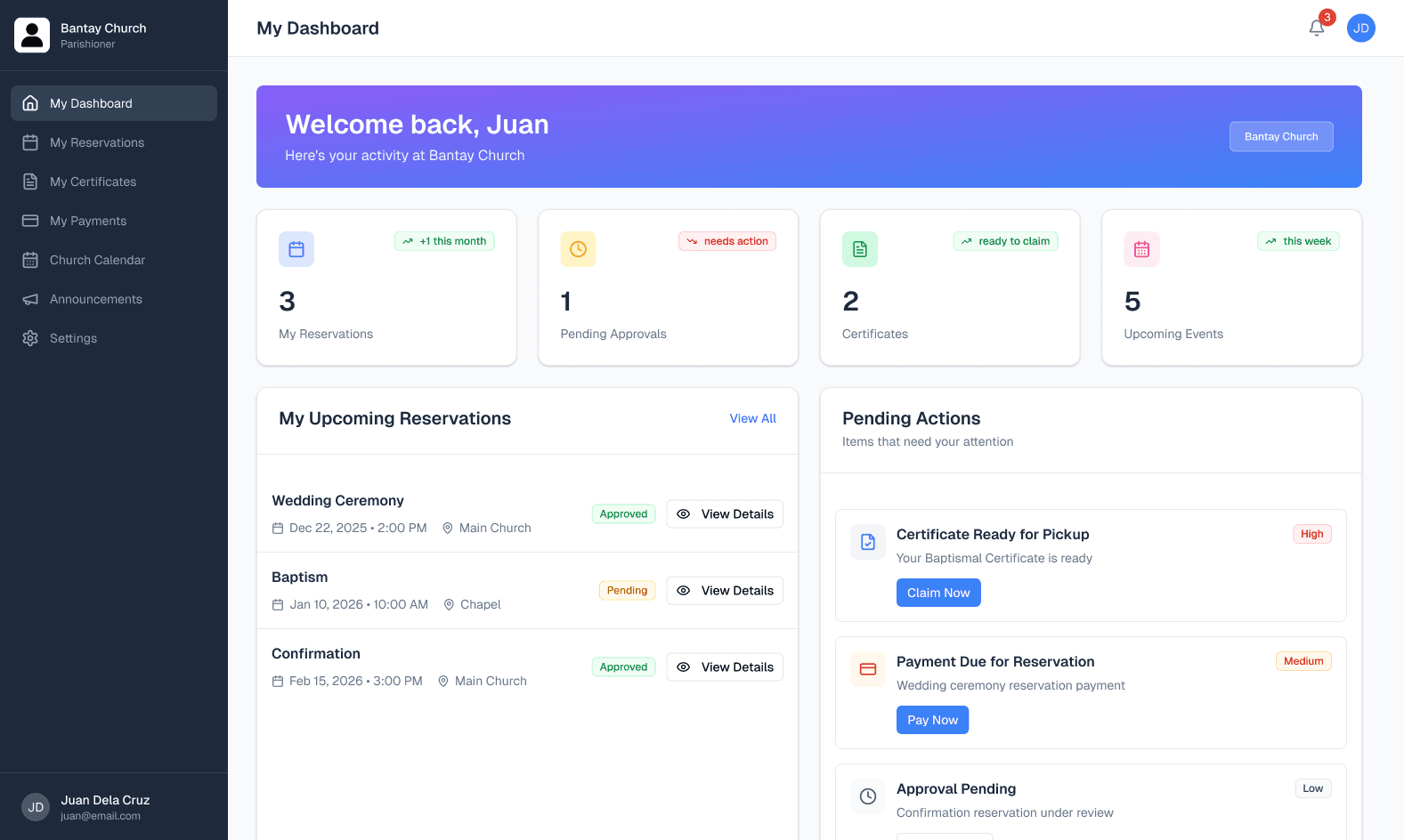
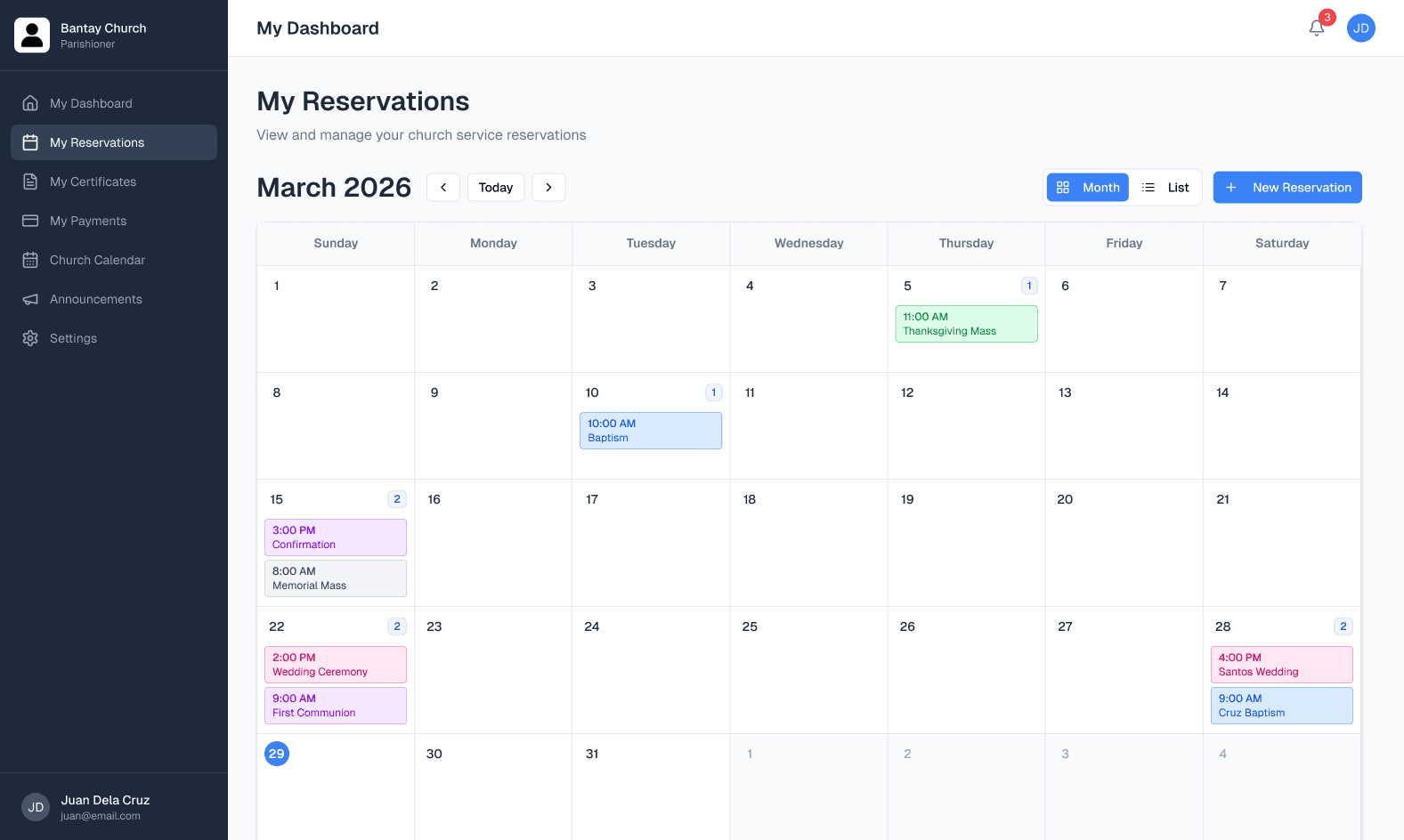
Two portals. Two user types.
One source of truth.
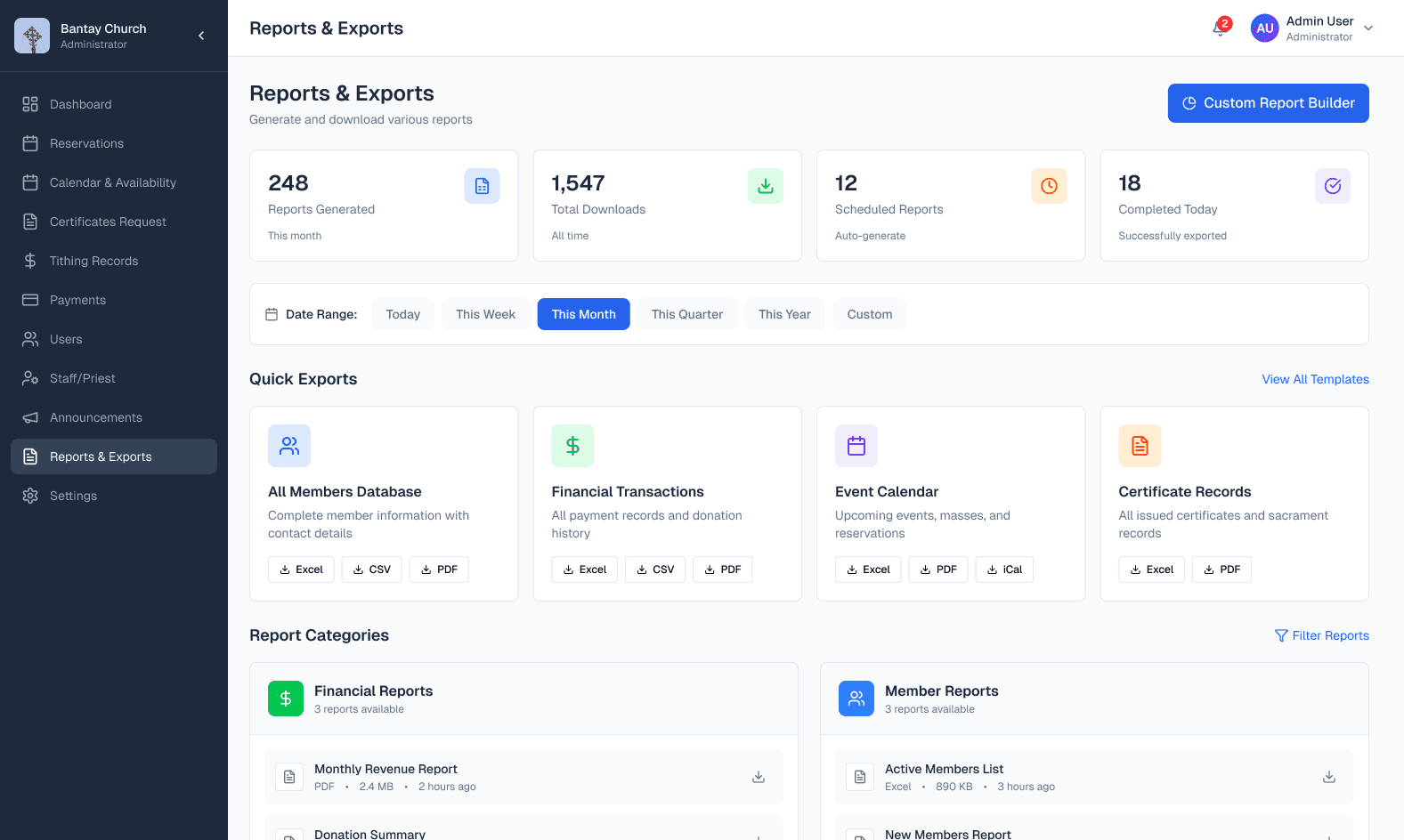
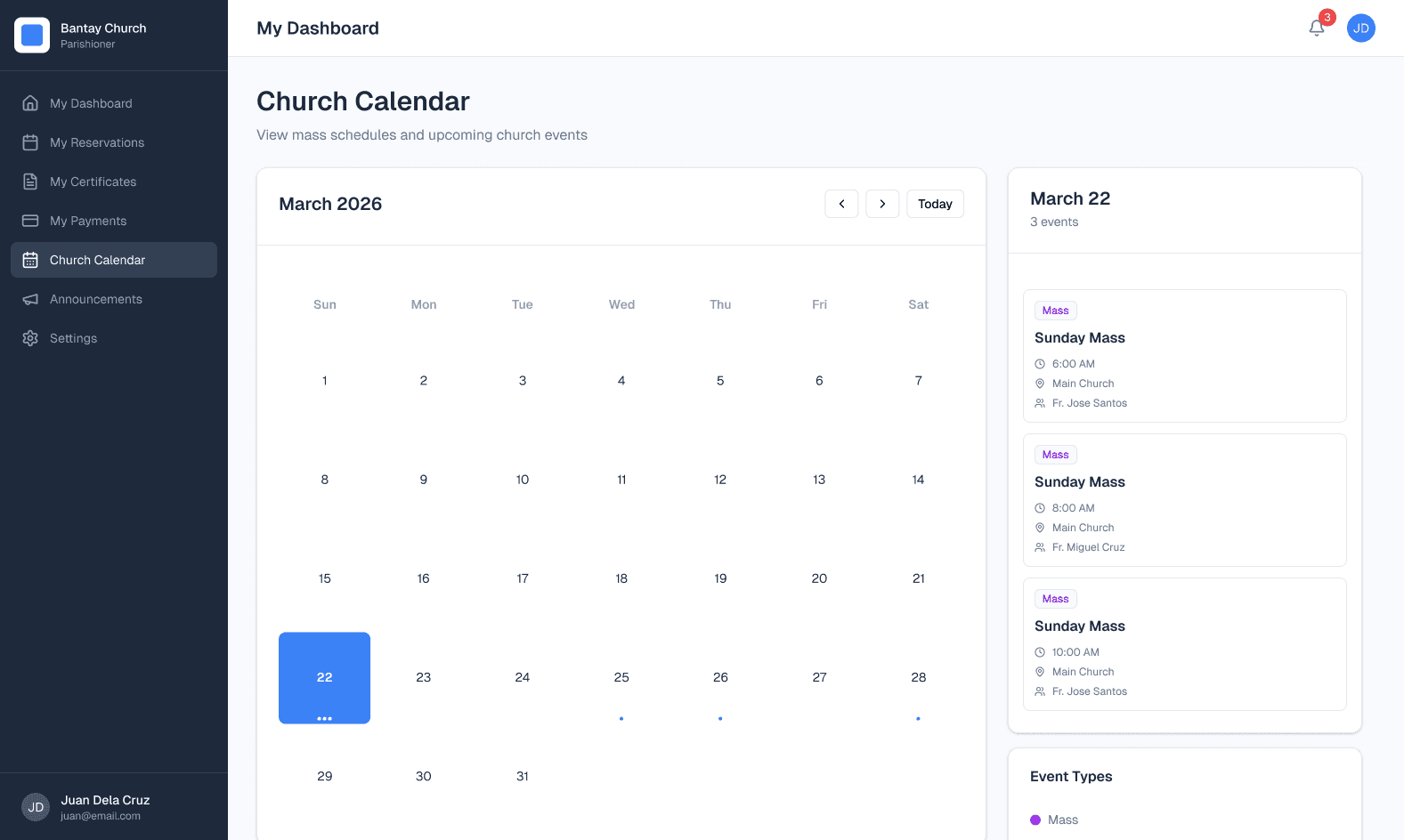
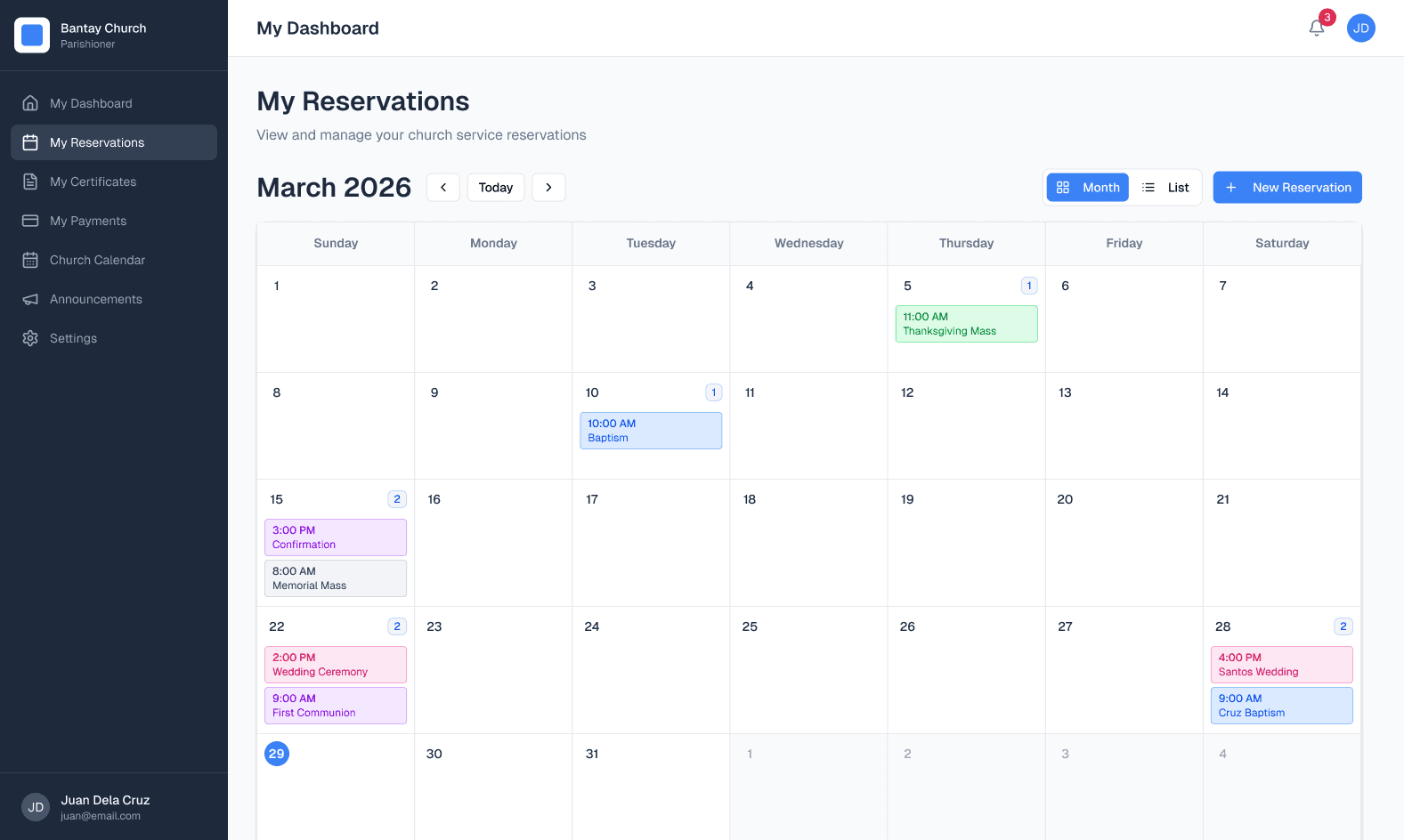
I designed separate experiences for Administrators and Parishioners — different access levels, different mental models, same underlying system. Here's what each screen is solving.
ADMIN PORTAL
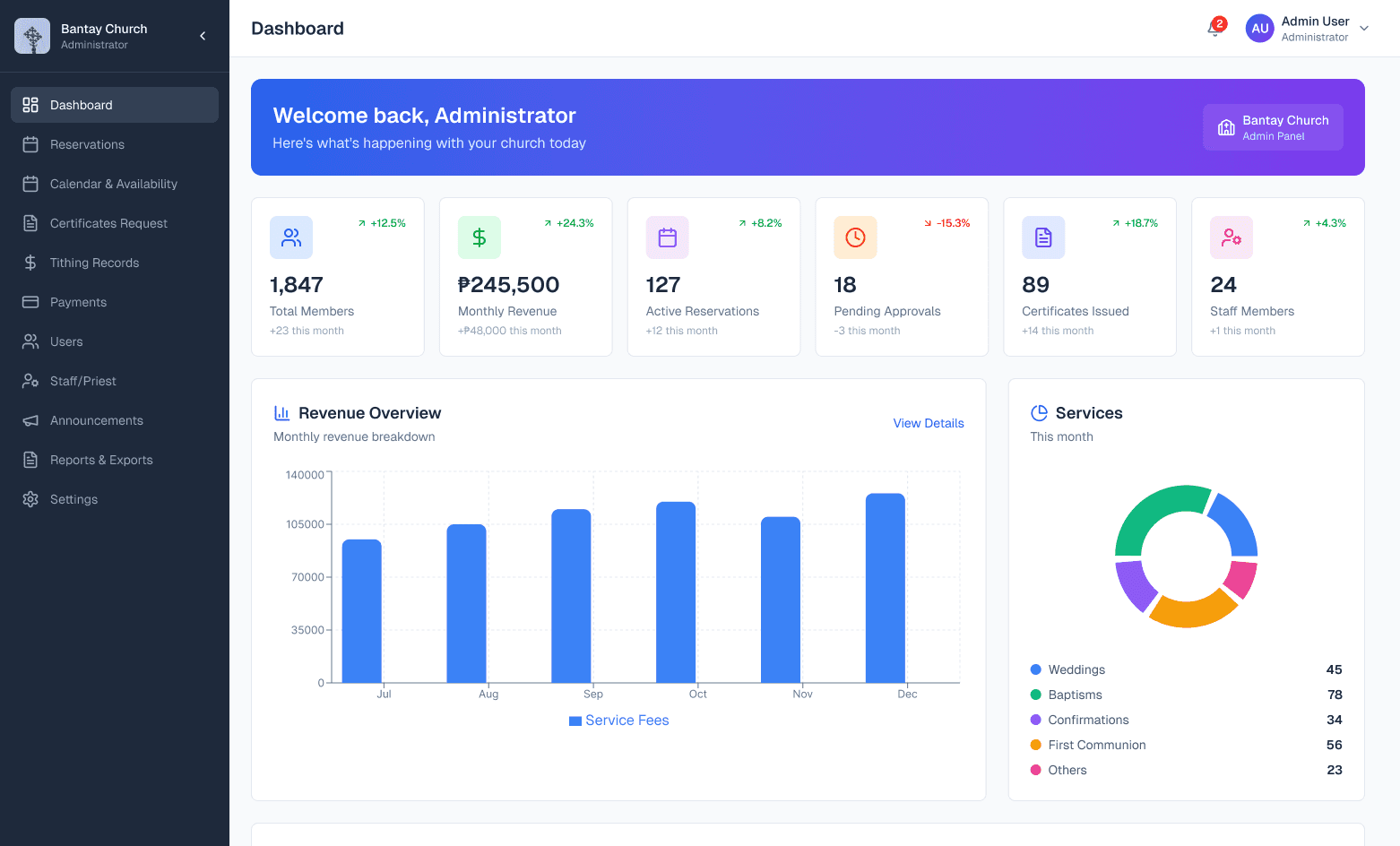
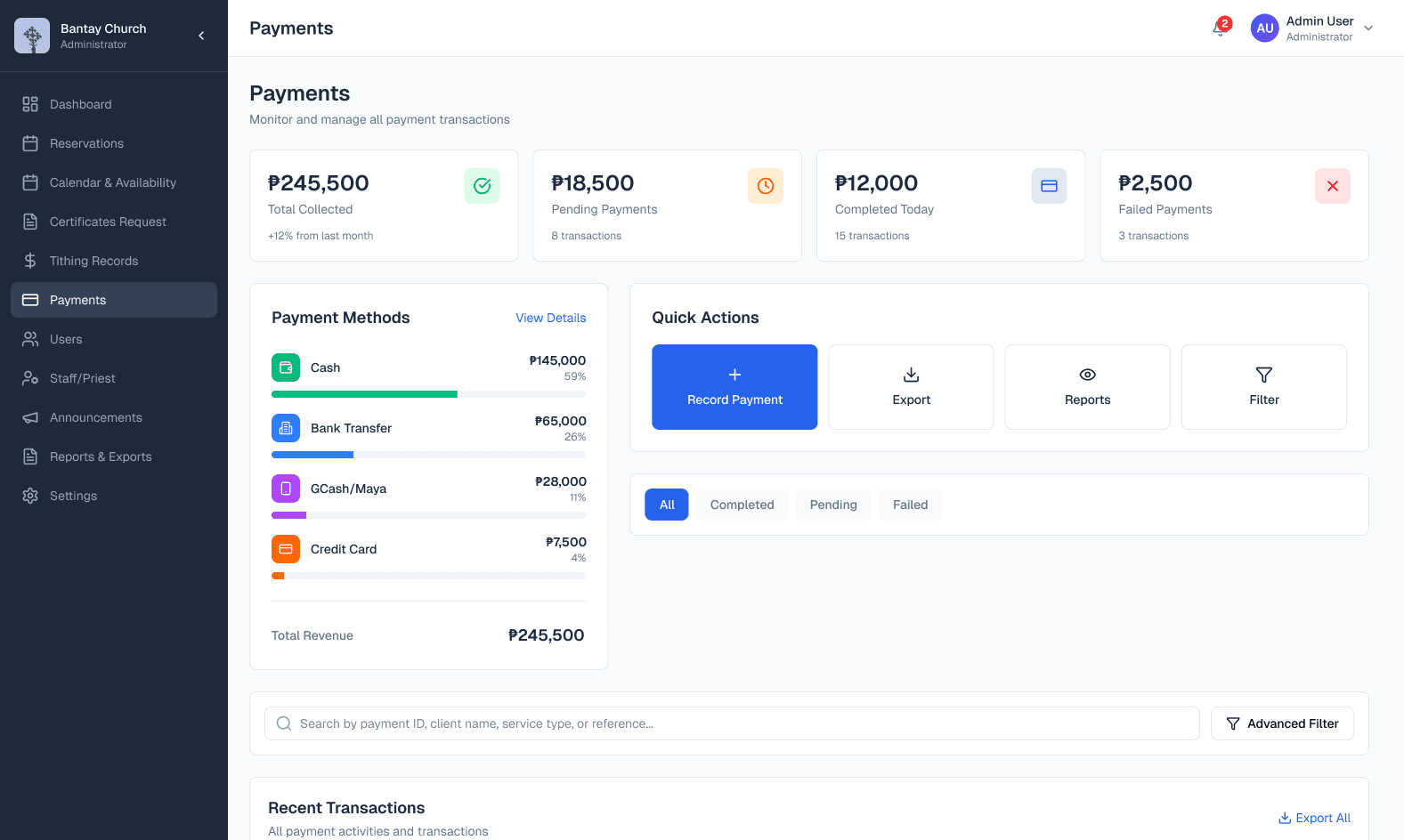
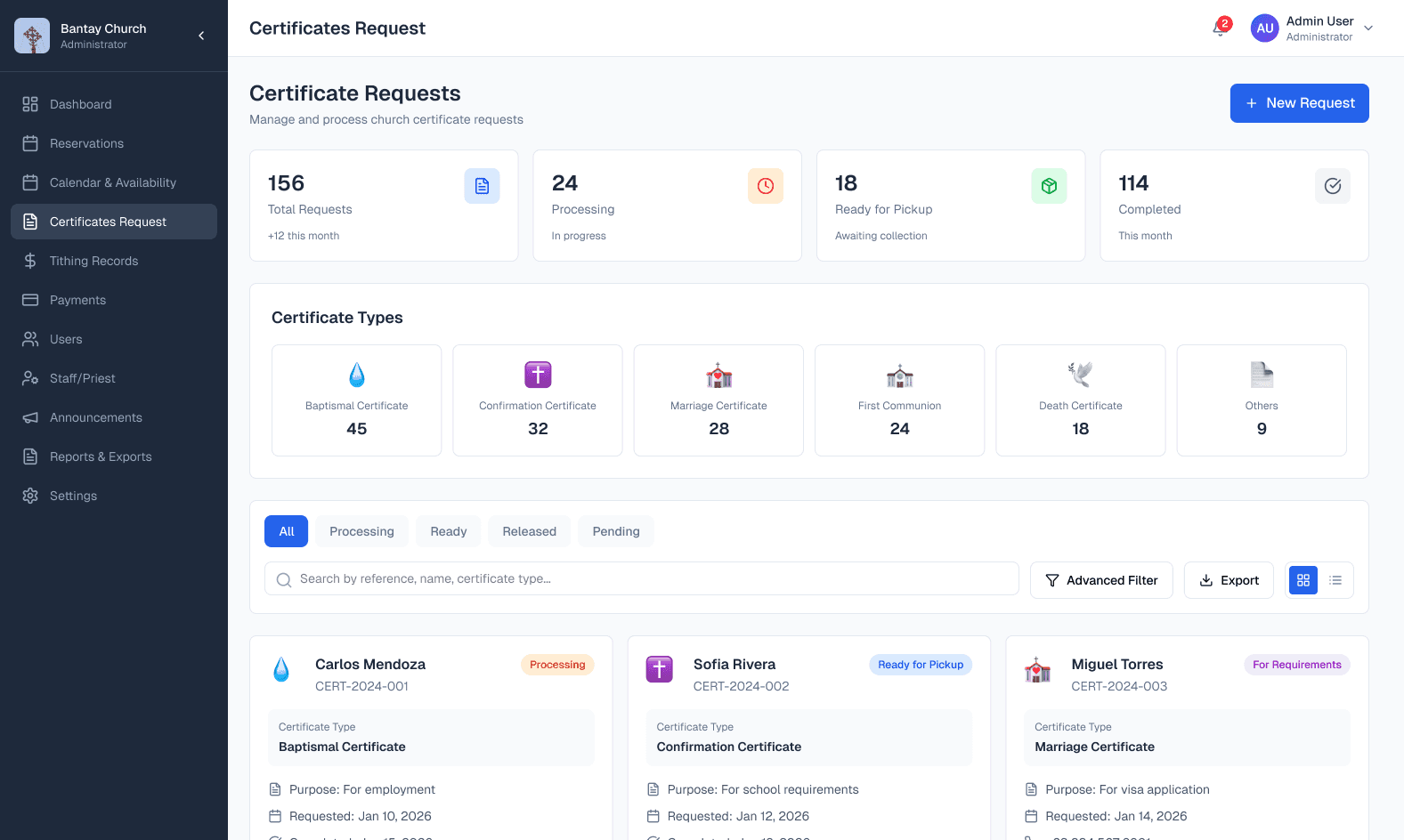
PARISHIONER PORTAL
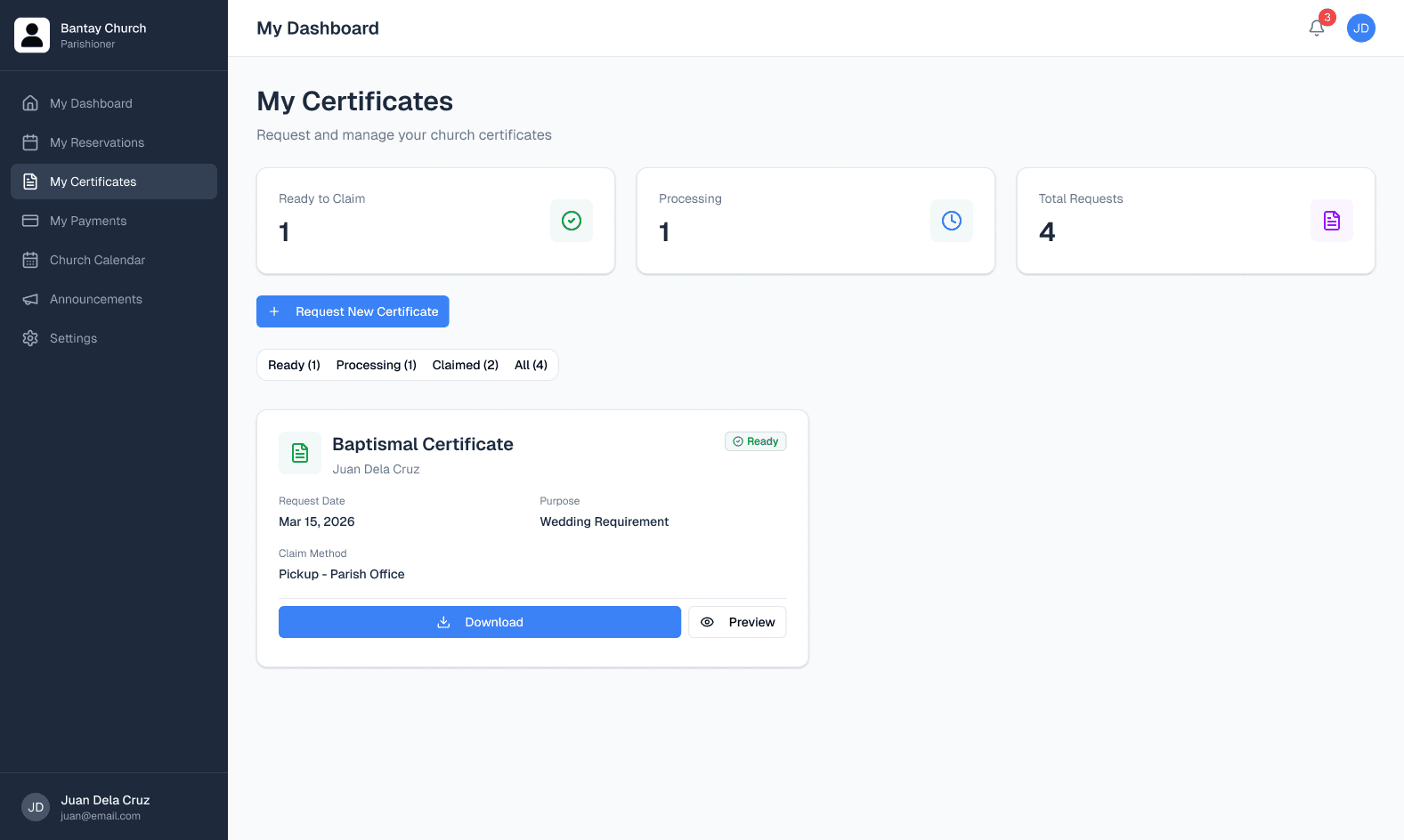
06 - RESPONSIVE DESIGN
Built for wherever people actually are.
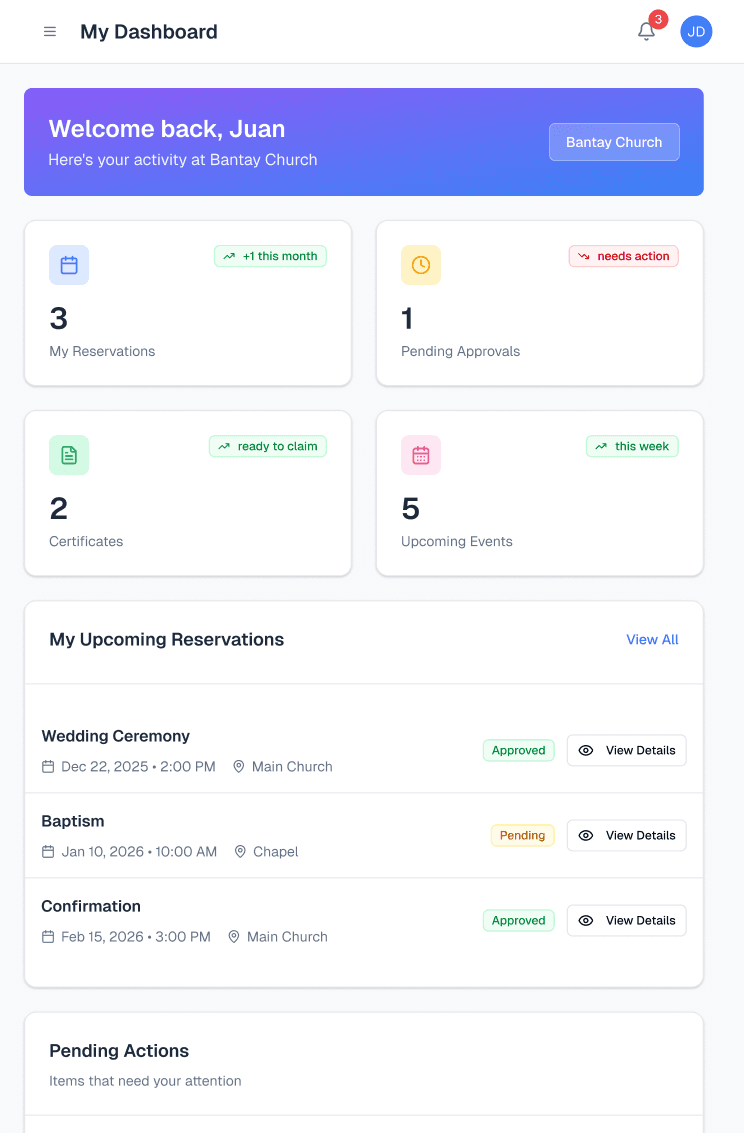
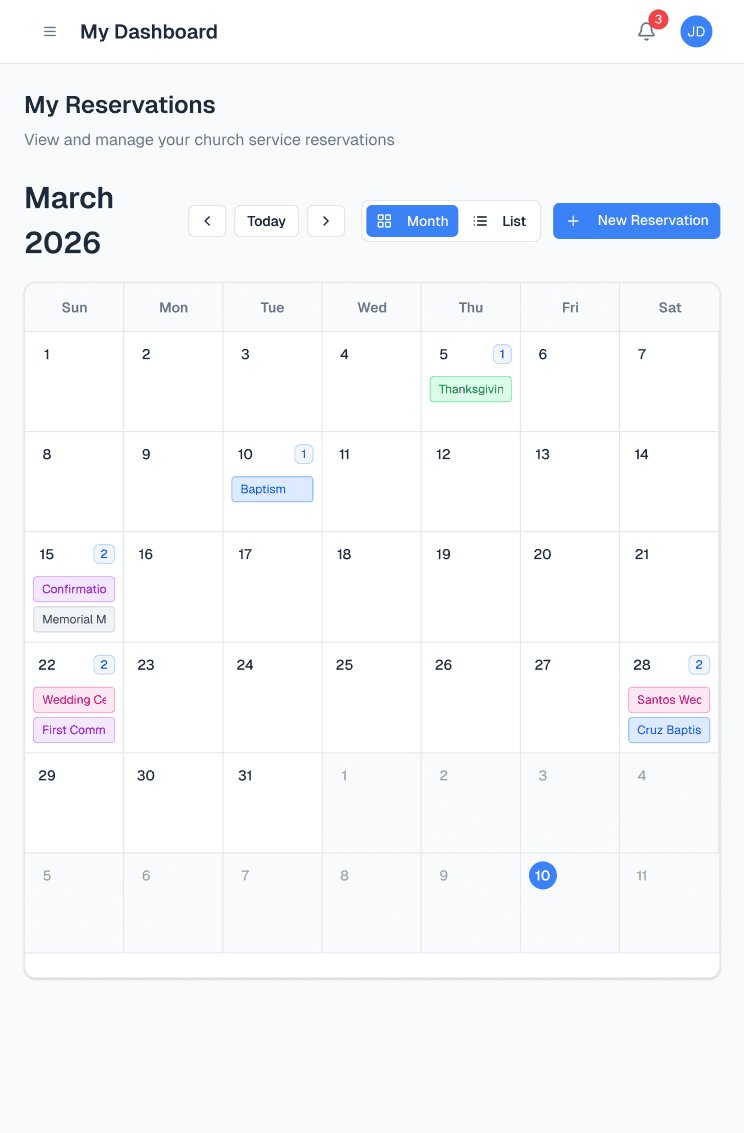
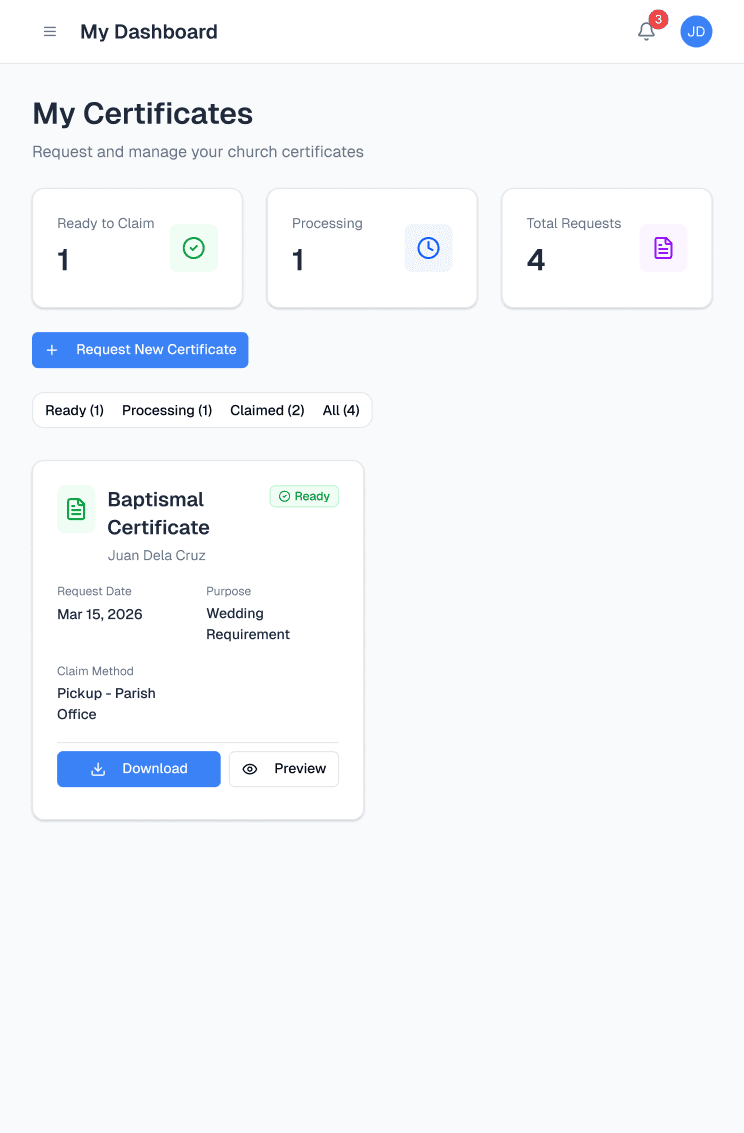
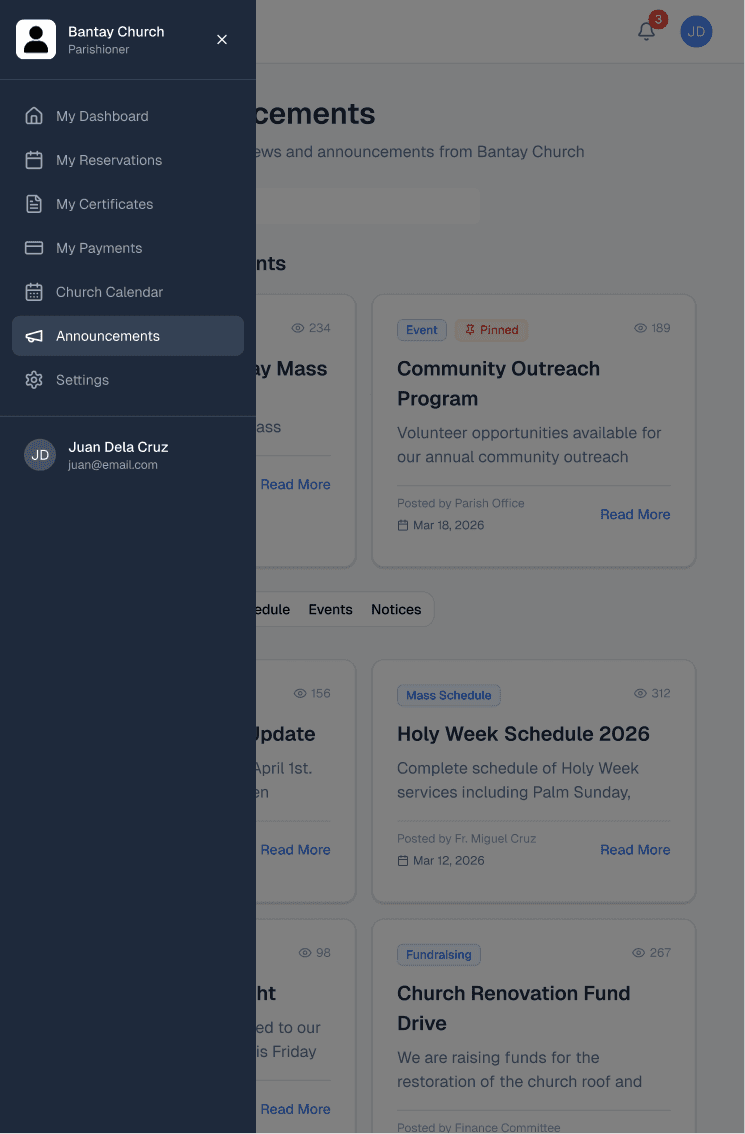
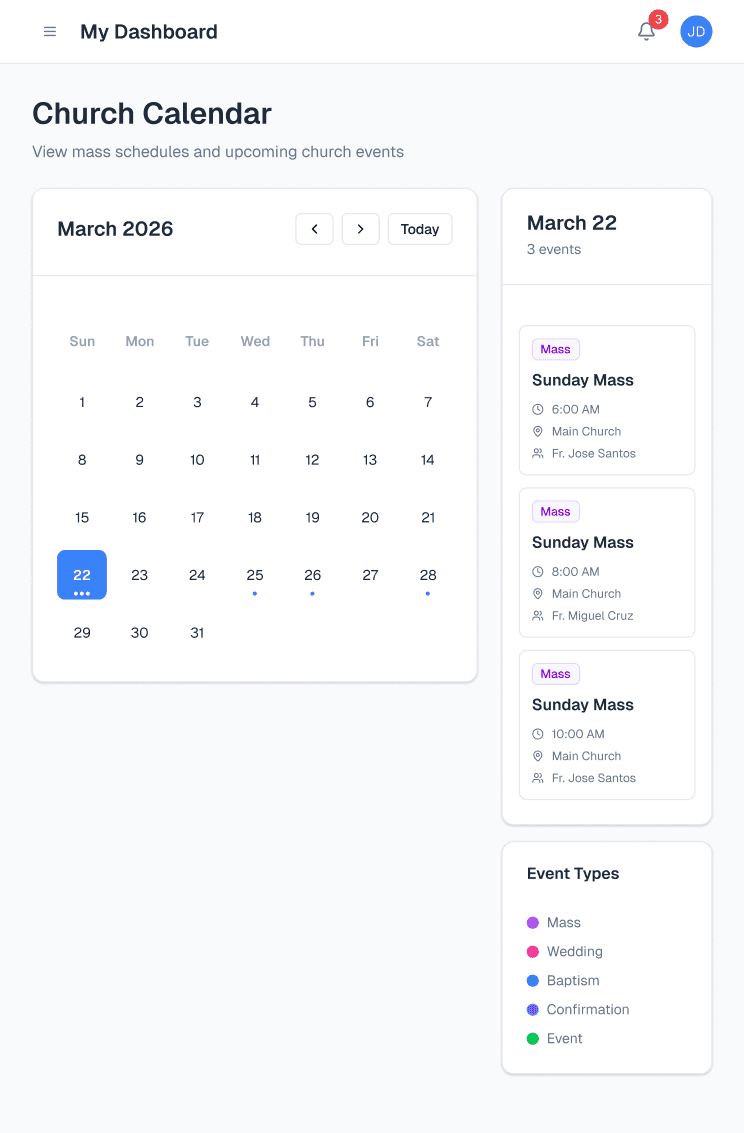
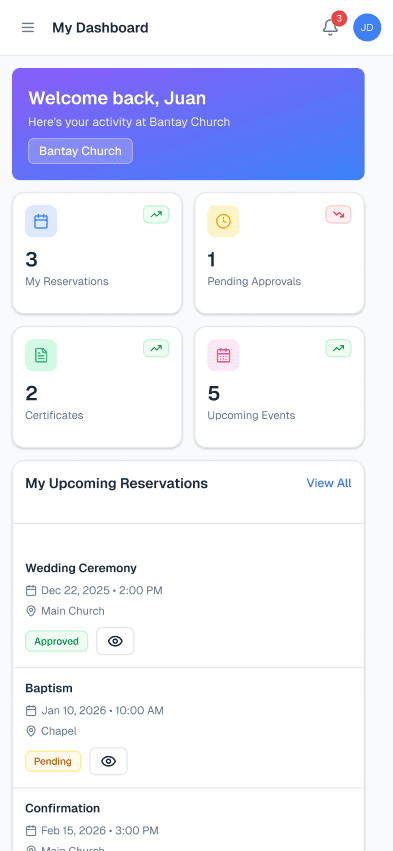
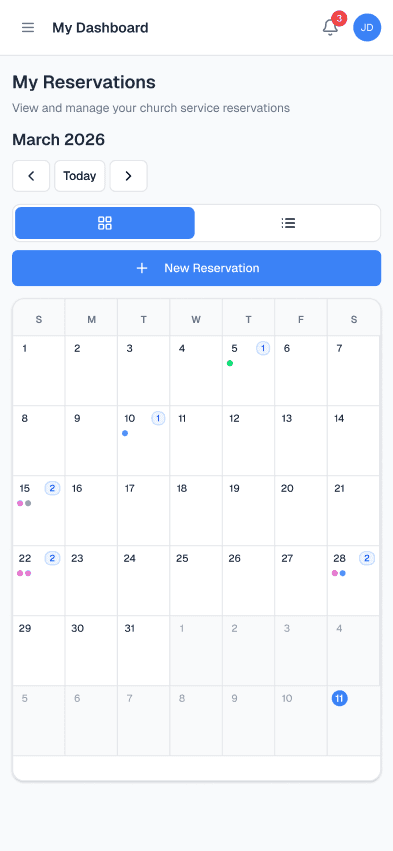
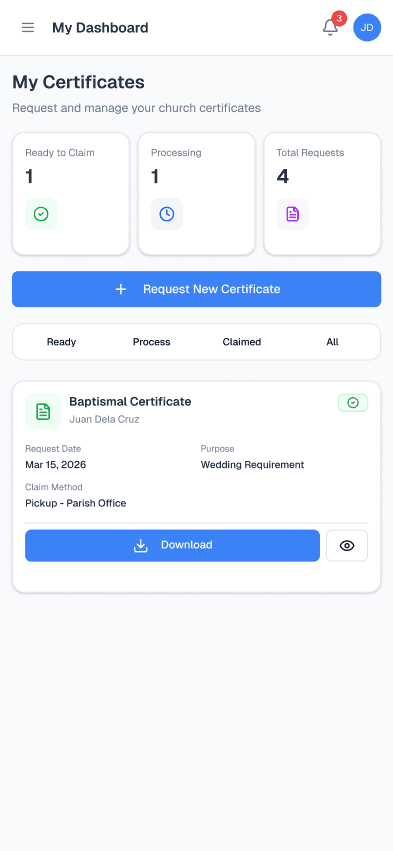
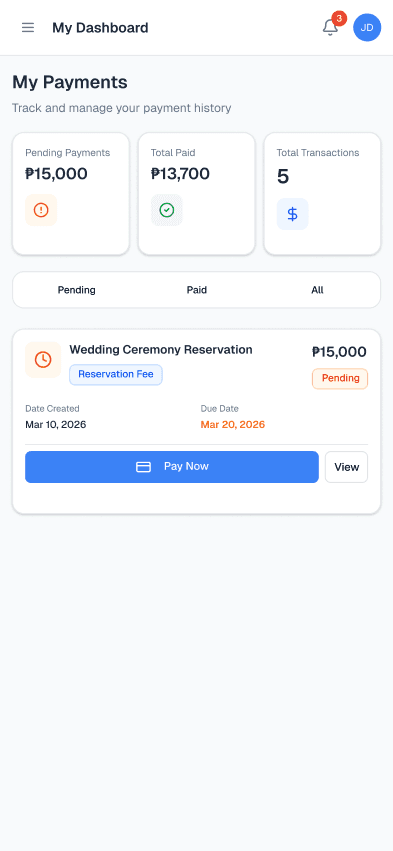
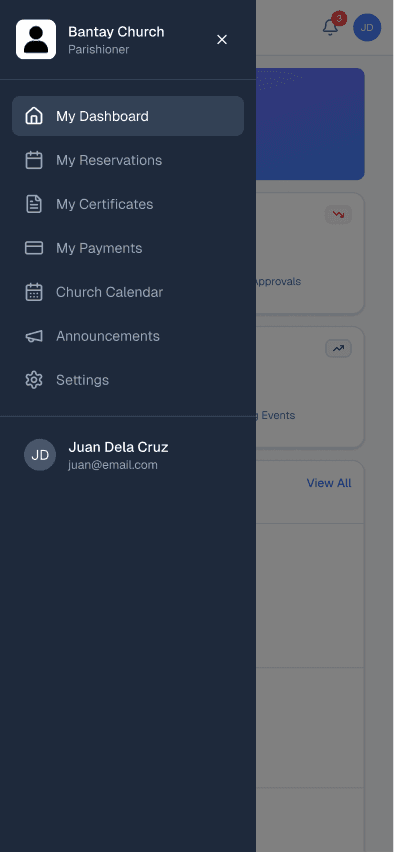
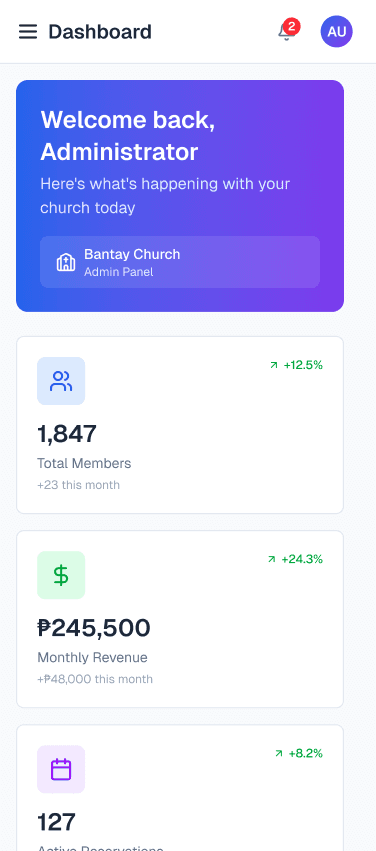
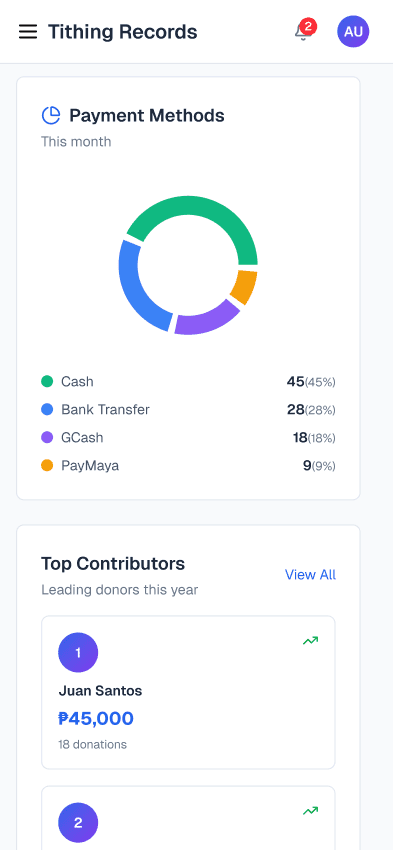
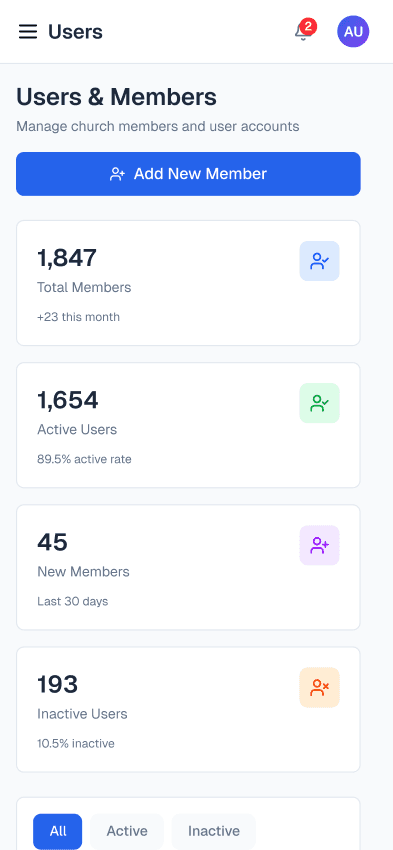
The system isn't just a desktop product. Parish staff are often on the move, and parishioners check their reservations and announcements on their phones. The design was built to work across all three breakpoints — desktop, tablet, and mobile — with intentional layout decisions at each size, not just scaled-down versions of the desktop.
TABLET - 744 x 1133
PHONE - 393 x 852
07 - DESIGN DECISIONS
The thinking behind the screens.
These aren't just aesthetic choices. Each decision was a response to a constraint, a research signal, or a trade-off I had to make explicitly.
01
Skipped wireframes. Went straight to Hi-Fi.
We had a tight prototype deadline. I had enough signal from the interviews and sitemaps to know the structure. Wireframes would have been ceremony without substance — an extra step for its own sake. The shadcn/ui kit gave me a component vocabulary that made Hi-Fi fast enough to iterate like wireframes anyway.
TRADEOFF
DEADLINE PRESSURE
LESS STAKEHOLDER ALIGNMENT RISK
02
Two separate portals, not one role-based system.
Admin and Parishioner have fundamentally different mental models. Admins think in terms of queues, approvals, and records. Parishioners think in terms of "my reservation" and "my status." A single system with role switching would create cognitive load for both. Clean separation was the right call.
UX ARCHITECTURE
MENTAL MODEL ALIGNMENT
03
Status labels as the primary communication layer.
Parishioners constantly called to ask "is my reservation confirmed?" I designed explicit status states — Approved, Pending, For Requirements, Processing, Ready for Pickup — as the core communication mechanism. AI helped me generate edge case states I might have missed: partial payment, missing documents, rescheduled.
MICROCOPY
AI-ASSISTED
REDUCES SUPPORT CALLS
04
shadcn/ui as the component foundation.
Using a well-designed, accessible component library meant I wasn't reinventing buttons and modals. It let me focus design energy on the information architecture, the flow, and the edge cases — which is where the real design value is. Using a kit isn't a shortcut; it's leverage.
EFFICIENCY
ACCESSIBILITY BASELINE
DESIGN SYSTEM DISCIPLINE
05
Designed for desktop, tablet, and mobile — not just desktop.
The system needed to work wherever people actually are. Parish staff don't always sit at a desk — they move around. Parishioners check their reservation status on their phones. Designing for all three breakpoints wasn't a nice-to-have; it was a requirement I built in from the start, not bolted on at the end.
Using shadcn/ui as the component foundation meant responsive behavior was already baked into the building blocks. My job was to make intentional layout decisions at each breakpoint — how the dashboard reflows on tablet, how the navigation collapses on mobile, how data tables become scannable on a small screen — rather than retrofitting a desktop design.
RESPONSIVE DESIGN
MOBILE-FIRST THINKING
DESKTOP | TABLET | PHONE
08 - HONEST REFLECTION
What I did. What I didn't control.
What I'd do differently.
HERE’S WHAT I DID
What I owned
→Three rounds of in-person staff interviews
→ Identified the three core system problems without client access
→ Used AI to synthesize research into personas, pain points, and edge cases
→ Created sitemaps to map UX flows and system architecture
→ Generated UI code with ChatGPT, ran locally in VS Code, used as Figma reference
→ Designed both Admin and Parishioner portals end-to-end in Figma
→ Designed for desktop, tablet, and mobile — all three breakpoints
→ Validated the prototype with 3 working IT professionals
→ Generated and refined all UX copy with AI assistance
→ Made the skip-wireframes call consciously, not accidentally
HERE’S WHAT I DIDN’T CONTROL
The constraints I worked around
→ Tight prototype deadline forced the wireframe skip
→ No usability testing with parish staff or parishioners before delivery
→ Stakeholder availability was limited — fewer alignment checkpoints
→ No established design system to build from; started from scratch with shadcn
HERE’S WHAT I’D DO DIFFERENTLY
If I were doing this today
My updated stack would run Claude Code → Figma → Figma Make as the core pipeline — with AI generation tools running in parallel as a comparison layer, not a replacement for judgment.
→ Claude Code to generate the initial UI code from a structured prompt — then pipe the output directly into Figma as the starting reference instead of manually copy-pasting from ChatGPT into VS Code
→ Figma Make for prototyping — turning static frames into interactive, shareable prototypes faster without leaving Figma
→ Run Google Stitch, Lovable, and Claude simultaneously on the same screen brief — not to pick one output, but to generate multiple interpretations of the same problem and compare approaches side by side
→ The final call is always mine. The AI outputs are raw material. I validate, contrast, and decide what's actually right for the context — the parish secretary's workflow, the parishioner's mental model, the ceremony-specific requirements
WHAT AN AI-FIRST WORKFLOW ACTUALLY MEANS
It doesn't mean AI does the design. It means I use AI where it gives the most leverage: turning messy briefs into structured insights, generating edge cases I'd otherwise miss at 2am, writing 12 variations of a status label in 30 seconds.
My judgment — what to keep, what to throw out, what the right interaction model is for a parish secretary — that's the work that still requires a designer. AI just clears the path faster.
"Execution still matters. But clarity of thinking, speed, and leverage matter even more."
LET’S TALK
You've seen how I think
Now let's build something
Whether you're hiring, collaborating, or just want to talk design — I'm open to the conversation. I work best with people who care about the thinking behind the pixels, not just the pixels themselves.
Get in Touch
I’m Jason Piano, a UI/UX Designer with 4+ years of experience. I design interfaces that don’t just look good, they reduce friction, guide decisions, and support business goals.
Follow me at
Jason Piano. All rights reserved. 2026
Let's Work Together!
itsjasonpiano@gmail.com